 Login
LoginSlow burn. #grickledoodle #commodore #PET #computers #AI #cartoon #art #dra…
2 May 2026 at 16:01
Slow burn. #grickledoodle #commodore #PET #computers #AI #cartoon #art #drawing #funny #horror #humor





Slow burn. #grickledoodle #commodore #PET #computers #AI #cartoon #art #drawing #funny #horror #humor
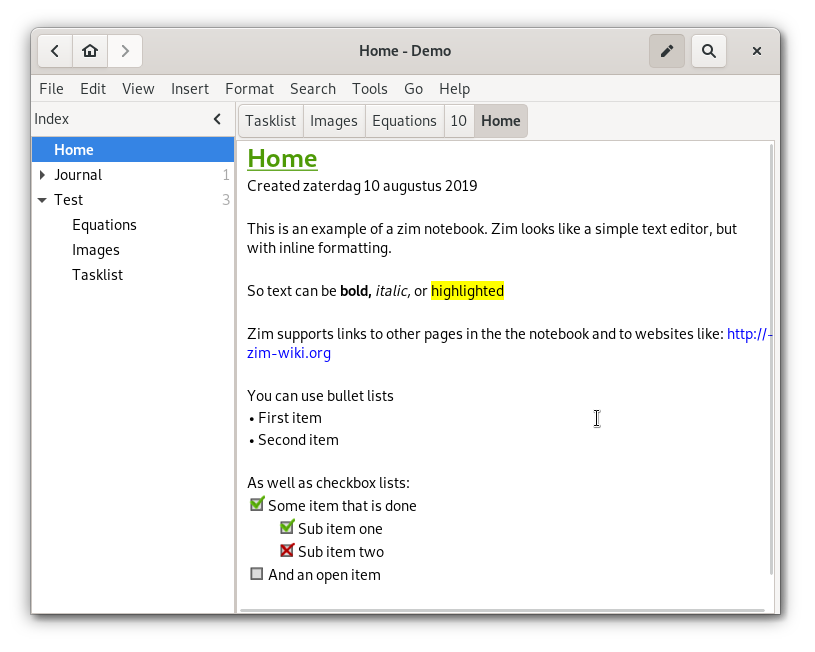
Zim Wiki is a graphical text editor used to maintain a collection of wiki pages. Each page can contain links to other pages, simple formatting and images. Pages are stored in a folder structure, like in an outliner, and can have attachments. Creating a new page is as easy as linking to a nonexistent page. All data is stored in plain text files with wiki formatting. Various plugins provide additional functionality, like a task list manager, an equation editor, a tray icon, and support for version control.
(if you use one tab for your windows computer and another for a linux computer you can sync same wiki on a cloud with no conflicts)
Zim handles several types of markup, like headings, bullet lists and of course bold, italic and highlighted. This markup is saved as wiki text so you can easily edit it with other editors. Because of the autosave feature, you can switch between pages and follow links while editing without worries.
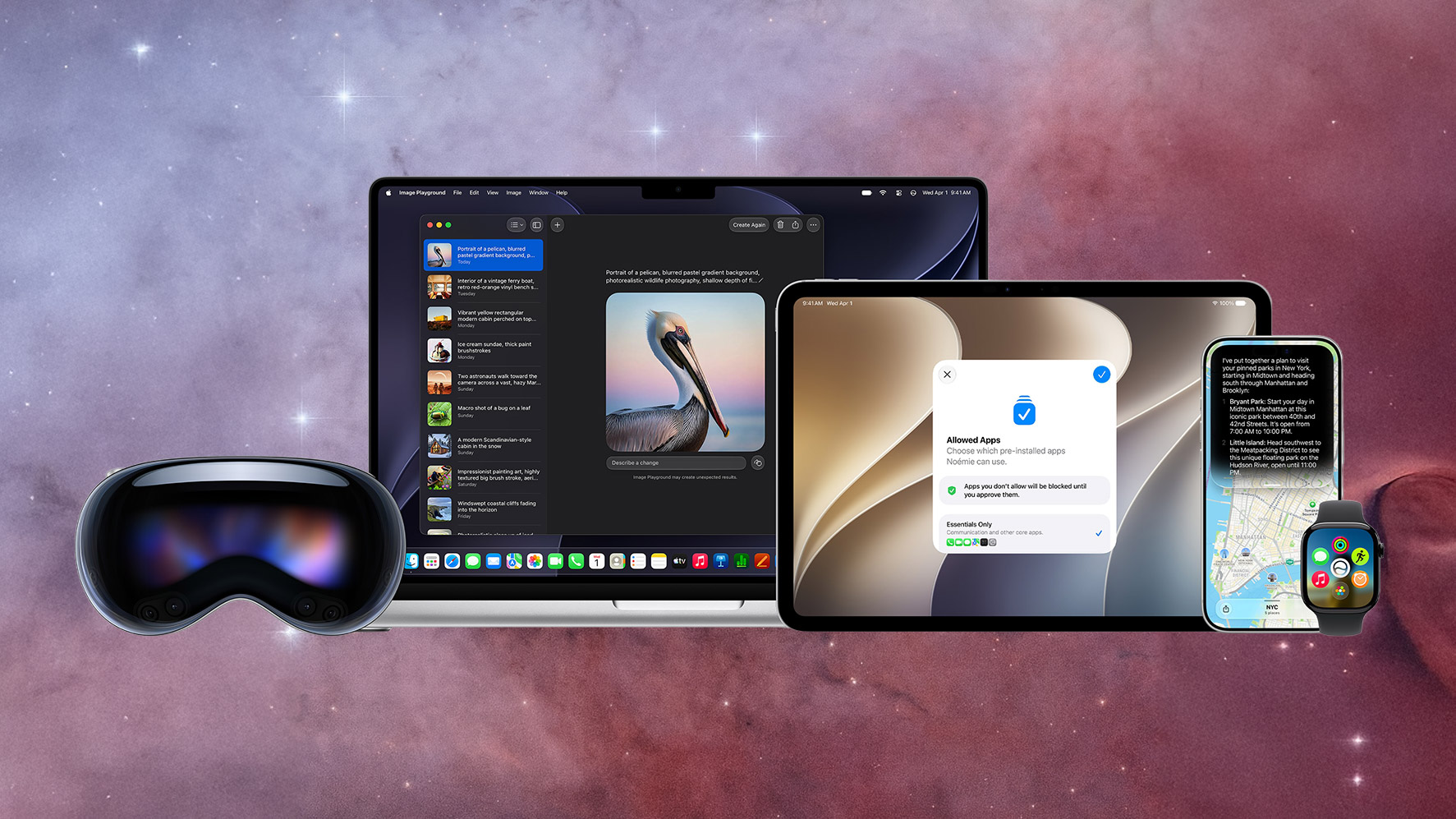
Apple spent two years promising a smarter Siri. We’ve been patiently waiting. At WWDC 2026 on Monday, the company finally showed the rebuild instead of a roadmap slide: Siri AI, an assistant that Apple says can hold a back-and-forth conversation, read what’s on your screen, and dig through your own messages, emails, and photos to answer a question. That headline arrived wrapped in a software preview that also reaches AirPods, Safari, your kids’ screen time, and, awkwardly, what European iPhone owners won’t get at all.
If you’ve followed Apple’s AI fits and starts, you know the company often announce features a year before they’re ready for wide distribution. Most of this lands this fall in iOS 27 and its sibling updates, though Siri AI itself slips to a beta “later this year.” We haven’t tested any of it yet, but I’m looking forward to trying the developer beta soon. Here are the 10 changes from the keynote most likely to matter once they actually ship.
Siri AI is the biggest thing Apple announced today. Apple says it rebuilt the assistant from the ground up on a new architecture, rather than bolting more features onto the old one. It leans on what Apple calls personal context, so you can ask it to surface a hotel confirmation number buried in an old email or pull up the photos from a recent trip, and it remembers the thread of a conversation so you can keep asking follow-ups. This will be a real relief if it works.
It also reads your screen and takes action across apps. Get a text about a potluck and you can brainstorm what to bring with Siri, then drop a recipe into Notes without leaving the conversation. On iPhone you start it by saying “Hey Siri,” pressing the side button, or swiping down from the Dynamic Island, and there’s now a standalone Siri app that syncs your conversation history across devices through iCloud. That makes it look a lot more like ChatGPT or Gemini than the Siri you’ve been yelling directions at since 2011.
The next generation of Apple Intelligence runs on Apple Foundation Models that the company says were “custom-built in collaboration with Google and its Gemini models.” For a company that sells its in-house silicon and on-device processing as a core advantage, leaning on a rival’s models is a real philosophical shift. Bloomberg reported before WWDC that the arrangement was expected to cost Apple roughly $1 billion a year. Apple has not confirmed a figure.
The outside-models thread runs through the developer side too. In its developer-tools announcement, Apple said Xcode 27 brings coding agents from Anthropic, Google, and OpenAI into the workflow, and that developers can build on models like Claude and Gemini alongside Apple’s own. Even the hidden watermark Apple applies to AI images in iOS 27 is Google’s SynthID. Apple’s AI is now stitched together with outside models in a way the company would not have admitted to a few years ago.
Apple Intelligence and Siri AI require an iPhone 16 model or later, or an iPhone 15 Pro or 15 Pro Max. That leaves out the standard iPhone 15 and 15 Plus, the entire iPhone 14 line, and anything older. iOS 27 itself installs on phones going back to the iPhone 11, so plenty of people will get the update this fall without the AI features that headlined the keynote.
The split goes deeper than that. Siri’s most-promoted extras, the expressive customizable voices and a big jump in dictation accuracy, require Apple’s most advanced on-device model, which Apple lists as iPhone Air, iPhone 17 Pro, and iPhone 17 Pro Max, plus iPads with an M4 chip or later and Macs with M3 or later that have at least 12GB of unified memory, and the M5 Apple Vision Pro. If you bought a midrange iPhone in the last couple of years, read the fine print before you get attached to the demos.
Siri AI will not ship on iPhone or iPad in the European Union with the release of iOS 27 and iPadOS 27, and Apple says it does not currently have a timeline to change that. The company blames the Digital Markets Act directly, arguing that under the EU’s reading of the law it would have to give any third-party assistant the same deep access to your data and apps that Siri gets, which Apple says it can’t do without putting users at risk.
Apple proposed a workaround it calls Trusted System Agent, plus an 18-month phased rollout, and says the European Commission rejected all of it. EU users will still get Siri AI on Mac, Apple Watch, and Vision Pro, just not on the two devices most people use most. It was the most openly combative Apple got all day, and it’s worth tracking if you live in or travel through the EU’s 27 member states. Siri AI and the other new Apple Intelligence features also won’t launch in China while Apple works through regulatory requirements there.
After about a decade of people asking, AirPods owners are getting a true custom equalizer in iOS 27, not the hands-off Adaptive EQ Apple has shipped for years. Apple’s release keeps the details thin, but keynote coverage described a graph-style interface with separate low, mid, and high bands and a live waveform that moves as you adjust it, so you can see and hear the change you’re dialing in.
Cheaper earbuds have offered this for years while AirPods made you live with Apple’s house tuning, so it’s overdue. If you’ve wanted more bass for the gym or a brighter top end for podcasts, you’ll finally be able to set it yourself. Separately, the AirPods Pro 3 can now sync your heart rate to iPhone through GymKit during a workout.
I typically like the EQ decisions Apple hardware makes natively, but I know some enthusiasts who can’t wait for this to materialize.
Image Playground, Apple’s image generator, can now make photorealistic pictures instead of just cartoon-style art, using a new model that runs on Apple’s Private Cloud Compute servers. You can edit by describing a change in plain language, or by tapping, circling, or brushing an object to move or resize it.
The part that matters beyond the novelty: Apple says images generated in Image Playground and photos edited with Apple Intelligence both carry a hidden SynthID watermark, Google’s provenance tag, so a file can be identified as AI-touched down the line. As convincing fakes get easier to produce, baking provenance into the file at the moment of creation is a bigger deal than the picture quality.
Apple’s Passwords app already flags weak and breached passwords. In iOS 27 it can fix them, navigating to the site, signing in, and swapping in a strong password with a single tap. Apple is using Siri AI and Safari to carry out that action on your behalf, which is one of the clearest examples of the assistant doing a task for you rather than just answering a question.
If you have ever ignored a “this password appeared in a data breach” warning, then this is for you (and me). It only works on supported sites at launch, so it won’t sweep your entire login list in one pass, but it turns a recurring to-do into a button.
Safari picks up three Apple Intelligence tricks in iOS 27 worth knowing about. The most useful is Notify Me: tell Safari to keep an eye on a page and it pings you when something changes, like a restock or a price drop, so you can stop manually refreshing a sold-out product page.
It also auto-groups your open tabs into topics, so a pile of weekend-trip research collapses into one cluster, and a feature called Describe an Extension lets you spin up a simple custom Safari extension by typing what you want it to do. None of these are flashy, but the tab organizer and the restock alerts are the kind of thing you’ll reach for most weeks. You might finally get that NeeDoh without paying inflated after market prices.
Not all of this is AI. Apple says apps launch up to 30 percent faster, photos load up to 70 percent faster right after you take them, and AirDrop transfers move up to 80 percent faster in this year’s releases. On iPad, copying files to and from an external drive runs up to 5x faster, which Apple says finally matches Finder on a Mac.
Apple ran its app-launch test on an iPhone 11 Pro Max, a phone from 2019, which suggests the speed gains reach aging hardware and not only the newest models. These are Apple’s own numbers and the usual marketing caveats apply, but a free performance bump on an old phone is the rare WWDC item that everyone with a supported device gets, no Pro model required.
Apple overhauled its parental controls in iOS 27, and the standout addition is Ask to Browse, which makes a kid request permission before opening a new website in Safari, the same way Ask to Buy already gates app downloads. There’s also a redesigned Screen Time dashboard and Time Allowances that cap usage by category, including Games, Entertainment, and Social Media.
Communication Safety, already on by default for users under 18, now blurs and blocks gore and violent content, not only nudity. And a new Declared Age Range API lets apps tailor themselves to a kid’s age bracket without the parent handing over an exact birthday. Apple says the time recommendations are based on expert research, and that it’s working with the American Academy of Pediatrics to adapt the group’s Family Media Plan into a guide for parents.
The post Everything you need to know about Apple’s 2026 WWDC keynote announcements: A new Siri, iOS EQ controls, and more appeared first on Popular Science.
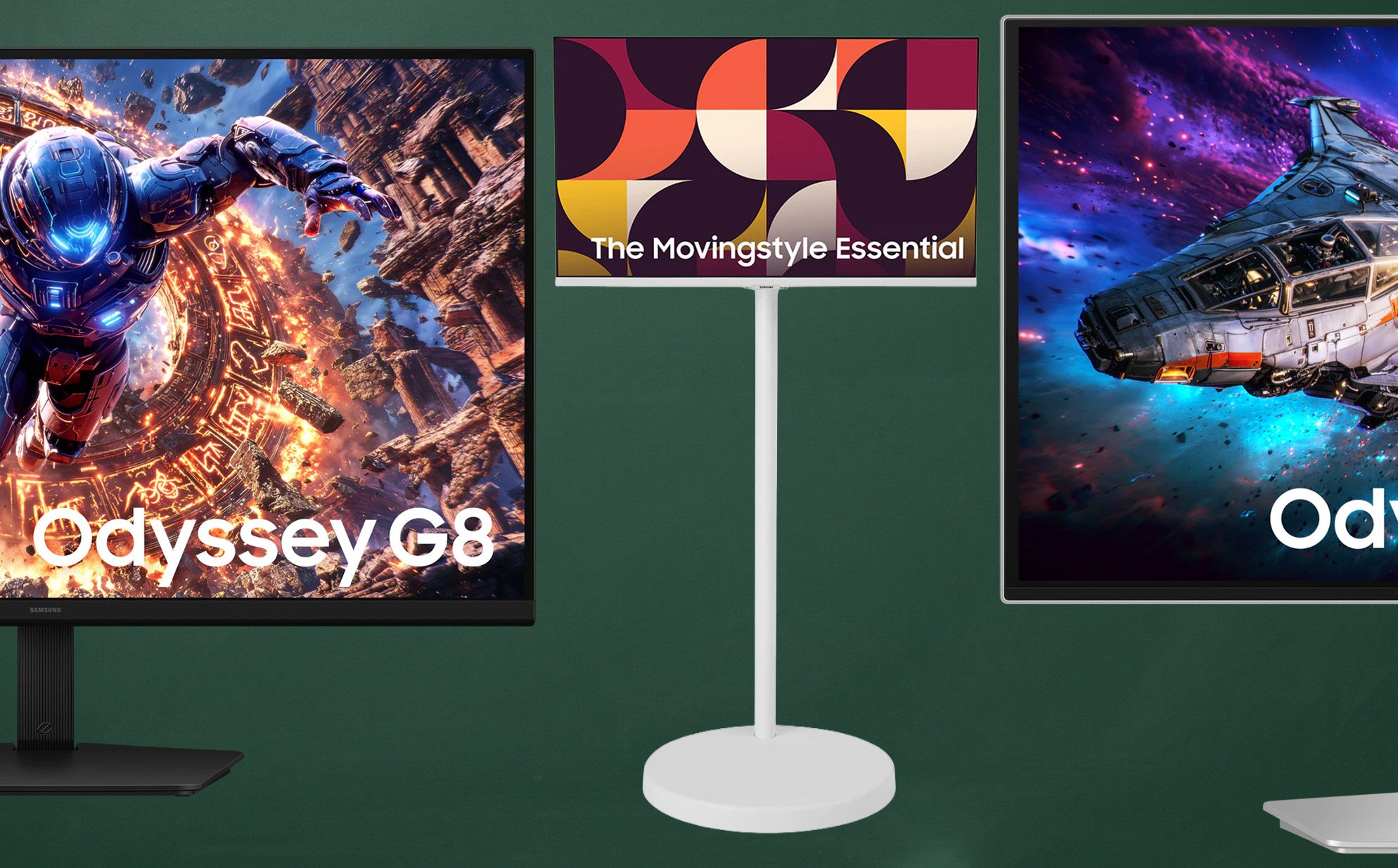
Samsung’s 2026 monitor lineup goes up for order today, headlined by the industry’s first 6K gaming monitor and an expanded run of OLED Odyssey panels. Order a qualifying model through 9:59 a.m. EDT on June 9 and you’ll pick up either a Samsung credit worth up to $300 or a free gear bundle like the Galaxy Buds4 Pro or a Samsung Music Studio kit at checkout, depending on which model you choose. The new 32-inch Odyssey G8 6K earns the largest $300 credit on a $1,599.99 monitor, the 43-inch Movingstyle Essential qualifies for a $200 credit at $899.99, and every other 2026 Odyssey, ViewFinity, and Smart model that’s shipping today is in the same offer. The full Samsung 2026 monitor launch offer is live now and runs for two weeks, which is the only window to get this much money back on these monitors before they settle into the normal price cycle.
The 32-inch Odyssey G8 G80HS is the first 6K gaming monitor on the market and it lands at 224 PPI of pixel density on an IPS panel. Samsung paired the resolution with a 165Hz refresh, which matters because most existing 5K and 6K monitors max out at 60Hz or 75Hz and were built for productivity rather than games.
6K is a ton of pixels, so Samsung equipped it with Dual Mode, which drops resolution on the fly to flip the screen into a 330Hz, 3K esports display. You keep the high-fidelity workspace for single-player and creative work, then toggle into a competitive frame rate when you load into a match. DisplayPort 2.1 is the connector that makes all of this possible. It’s the first widely-adopted DisplayPort spec with the raw bandwidth to push native 6K at 165Hz, and there isn’t a previous-generation port on the back of this monitor that could carry the same signal. The G8 also supports HDR10+ Gaming, which adjusts brightness and contrast dynamically without manual calibration per title, plus AMD FreeSync Premium and NVIDIA G-Sync Compatible for tear-free output on whichever GPU you’ve already got.
At this pixel density, the 32-inch screen is big enough to keep two full-resolution windows side by side without scaling, which makes the same monitor a credible single-screen setup for code editors, video timelines, and large-format design work. The $300 order credit is the largest reward in the entire 2026 launch lineup, and Samsung doesn’t typically run promotions like this on a flagship monitor outside the first two weeks, so the effective out-of-pocket math is better right now than it will be for the rest of the year.
The Movingstyle Essential rolls from room to room on a height-adjustable stand that tilts, swivels, and pivots, which is what makes a 43-inch 4K panel actually live up to its smart-monitor billing. Samsung built in its full Smart TV interface and the Samsung Gaming Hub for cloud gaming with no console required, so the same screen handles a workday spreadsheet, a Friday-night movie, and a stint of Fortnite over the couch. At checkout you pick one of three rewards on this tier: a $200 Samsung store credit, a Music Studio 5 kit, or the Galaxy Buds4 Pro, so the right choice depends on whether you’d rather have cash to spend on a soundbar later or working earbuds now.
The 27-inch OLED G8 is the volume play in Samsung’s new gaming lineup, with 4K resolution at 240Hz on the QD-OLED Penta Tandem panel Samsung is calling out for improved brightness, efficiency, and panel durability. A single USB-C port handles 98W of laptop charging alongside the video signal, and the Glare Free coating cuts the reflections that have always been the weak spot of OLED panels in well-lit rooms. At $1,099.99 with the $200 credit, this is the cheapest way into Samsung’s higher-spec OLED tech without paying the 32-inch tax on top.
Every 2026 Odyssey shipping today qualifies for either a $200 or $300 Samsung credit, with the 32-inch models earning the larger reward. The 27-inch G8 5K is the volume pick for high-refresh IPS gaming without paying the OLED premium, and the 32-inch OLED G7 brings the new 4K OLED panel into the lineup at a sub-$1,100 price.
The ViewFinity S8 line is Samsung’s productivity-first family, built for creative work that benefits from pixel density and Thunderbolt 5 bandwidth instead of refresh rate. Only the curved 40-inch model is shipping in this launch wave, and the 27-inch S80HF arrives later this summer. If you’ve been waiting on the 27-inch, hold off on the credit math until July when that model lands.
The post Samsung just put the first 6K OLED gaming monitor on sale and it comes with a $300 bonus appeared first on Popular Science.
Yast Partitioner may cause permission issues if used in some ways.
Use Gparted to make partition and format your disks.
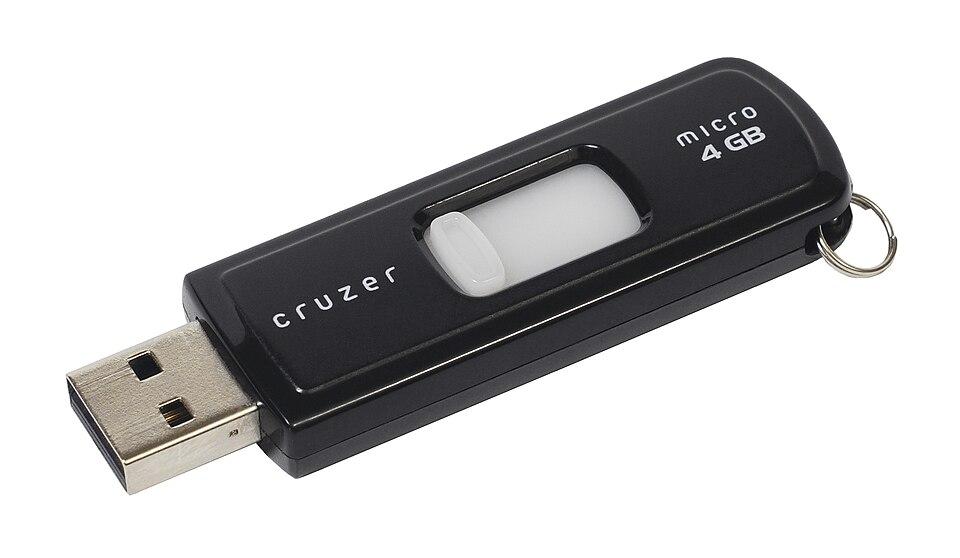
You can also use Gparted to delete all partitions on pendrives. Then do a full format. To clean infected drives.
During all operations keep Wi-Fi or LAN or Internet disconnected.
Drives that are old, dirty, grimy .... Let it soak in a small Bowl of IPA Iso Propyl Alcohol for 10 mts. Then shake dry a few times and open air dry for a day.
